
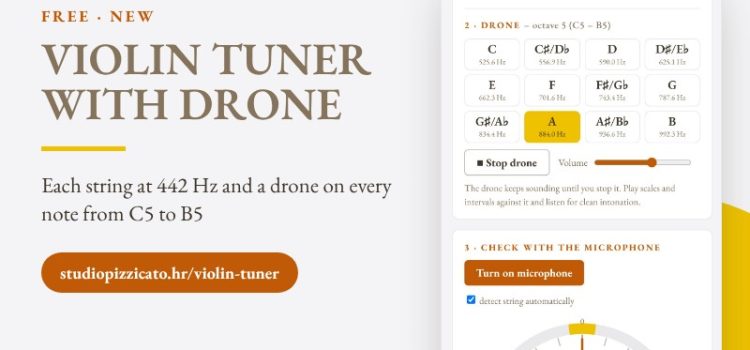
A drone for violin is a note that keeps sounding while you play. It sounds simple, but it is one of the best ways to train the ear – not just “is this note right?”, but how it sounds against another note. So we added a drone on every chromatic note from C5 to B5 to our free violin tuner.
What’s new in the tuner
- a drone on all 12 notes from C5 to B5, at A = 442 Hz
- a sustained tone that plays until you stop it, with its own volume
- each open string (G, D, A, E) and a microphone pitch check, as before
- a new layout – everything fits on one screen
Why practise with a drone?
Without a drone you only compare each note with the one before. With a drone every note has a fixed reference – the tonic. The ear quickly hears a “muddy” third, a beating fifth or an octave that locks in. Students learn not just where the finger goes, but what in tune sounds like.
How to practise with a drone
- Choose the tonic of your scale – e.g. D for D major – and keep the drone quiet.
- Play slowly, with long bows. Hold each note until it settles with the drone.
- Start with open strings and octaves, then fifths and fourths, then thirds and sixths.
- Play the scale up and down over the tonic drone; later move the drone to the fifth.
- Work on the slippery notes – the leading tone and the third – slowly and without vibrato.
A tip for teachers
Drones work well in group lessons and for students who practise at home without a piano. Beginners can play their first scale over a tonic drone; more advanced students can work on intervals and double stops. When students learn positions, a drone helps them hear whether a shift landed on the right note.
More free tools
There is also a free metronome (30–200 BPM, wooden click and a light signal). See all tools on Digital tools and in Free digital tools for violin teachers.
Hrvatska verzija: Bordun za violinu


