
PIZZICATO TEACHER’S DESK
All Pizzicato violin teaching tools in one place. Open the Teacher’s Desk on your computer, tablet or phone, pick a tool from the menu and teach, without hunting for links in the middle of a lesson.
Tuner, metronome, Notko, Where Are the Fingers?, Lesson Games, Violin Size and printables: all in the full Pro version.
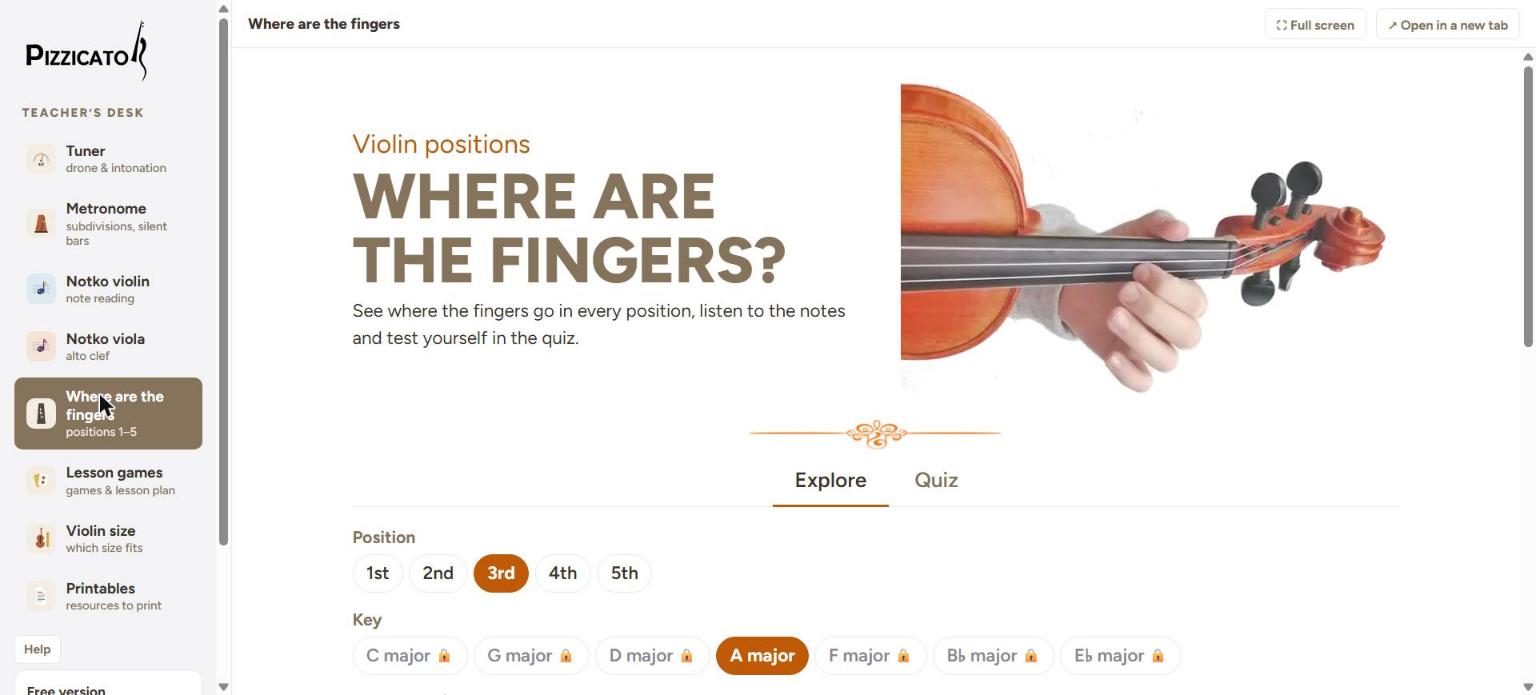
What’s inside
- Tuner – tuning with the microphone, drone in every octave and with chords, intonation graph
- Metronome – subdivisions, silent bars, saved tempos, practice log
- Notko – all 5 levels, timed game and two-team contest, for violin and viola
- Where Are the Fingers? – positions 1–5 in every key, quiz for all positions, certificates
- Lesson Games – 43 games, What’s going wrong?, lesson planner, printable cards, projector view
- Violin Size – which violin size fits your student
- Printables – 20 resources: lesson plans, practice trackers, reward charts, posters and parent guides
How it works
- Runs in your browser, no installation or sign-up.
- One-time purchase, no subscription.
- Up to 5 devices: studio computer, tablet, phone.
- You unlock it with the email you bought it with, no password. See Pizzicato Pro help.
- The free part of every tool works without buying, so you can try it first.
Price
€34
one-time, for up to 5 devices
14-day money-back guarantee. Music schools can request an invoice: info@studiopizzicato.hr.
FAQ
Do I need to install anything?
No. The Teacher’s Desk runs in the browser on computers, tablets and phones.
How many devices can I use?
Up to 5. On each one you unlock it with the email you bought it with.
Is it a subscription?
No. You pay once and it’s yours.
Can a music school buy it for several teachers?
Yes. Write to info@studiopizzicato.hr and we’ll send an invoice.
Hrvatska verzija: Pizzicato Učionica